projects
Discussion
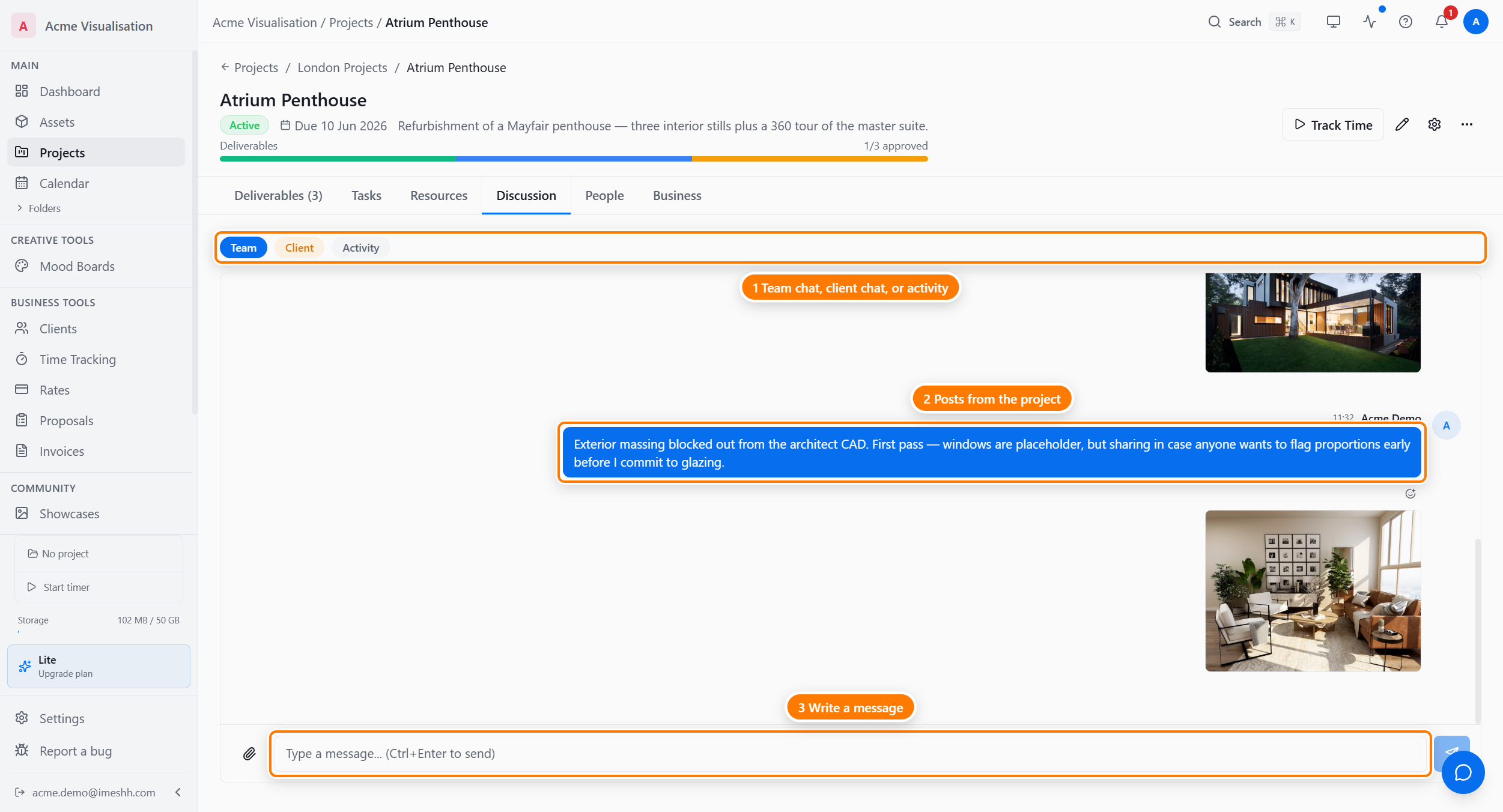
The project's chat — three streams in one tab. Team for internal studio chat, Client for the conversation a client can see, Activity for a feed of what happened.
Updated 23 June 2026
Every project has a Discussion tab — a chat surface scoped to that one project. Three streams in one place: Team (internal-only), Client (the client sees this), and Activity (a feed of project events that no one types into).
The page
The three sub-tabs
The row of pills at the top of Discussion — Team / Client / Activity — picks which stream you're looking at.
| Sub-tab | What it is | Who sees it |
|---|---|---|
| Team | Internal studio chat. Back-and-forth, decisions, notes to self. | Studio members on the project only |
| Client | The conversation with the client. Everything posted here is visible to clients who have project access through a share link or portal. | Studio members and the project's clients |
| Activity | An auto-generated event feed — messages sent, deliverables created, statuses changed. Read-only. | Studio members on the project |
Posting a message
Each sub-tab has the same compose box at the bottom:
- Type into the box — plain text and emoji work; formatting marks show as typed.
- Send — press
Ctrl+Enteror click the send icon. PlainEnteradds a line break. - Attach — click the paperclip on the left to attach files — PNG, JPEG, PDF, anything your project storage allows. Several attachments per message are fine.
- React — point at any existing message and click the emoji button to add a reaction.
Attachments show inline in the message bubble as a thumbnail you click through to the full file.
Team vs Client — the practical difference
Team is the safer default for everything except "I need the client to see this." Use Team for:
- Rendering tradeoffs ("v3 reflections look closer to ref now")
- Internal questions ("anyone got a cleaner CAD for the exterior?")
- Decisions and rationale ("going with angle 2 — angle 4 hides the island")
- Coordination ("blocking out tomorrow, EOD Friday")
- Anything you wouldn't put in a client-facing email
Use Client when you want the client in the conversation — usually context that goes alongside a review link, or a follow-up after a meeting. The compose box reminds you: "Replying as studio — visible to clients."
The Activity feed
The Activity sub-tab is a read-only log of what's happened on the project. What shows up:
- Messages posted to Team or Client (with a short excerpt)
- Deliverables created, status-changed, or approved
- Tasks added or completed
- New attachments
- Members added or removed
Scan it when you come back to a project after a few days and want to know what changed. Click any entry to jump to the source.
Notifications
Posting in Team notifies studio members on the project. Posting in Client notifies studio members on the project and any client users with active access. To change which project events email you, open Settings → Notifications (coming soon).
Plan tier
Discussion is included on every paid plan. Activity is unlimited regardless of plan.
What's next
- Sharing with clients — how clients get into the Client stream
- Members and roles — controlling who's on the project, and therefore who can see Team
- Deliverables — where the work being discussed lives