settings
Settings overview
A tour of the six Settings tabs — your profile, your team, your subscription, your preferences, notifications, and the status templates that apply across every project.
Updated 23 June 2026
The Settings page holds everything that isn't tied to one project — your account, your team, your plan, your preferences, your notifications, and the status templates new projects inherit.
Open Settings from the left sidebar. The page opens on the Profile tab.
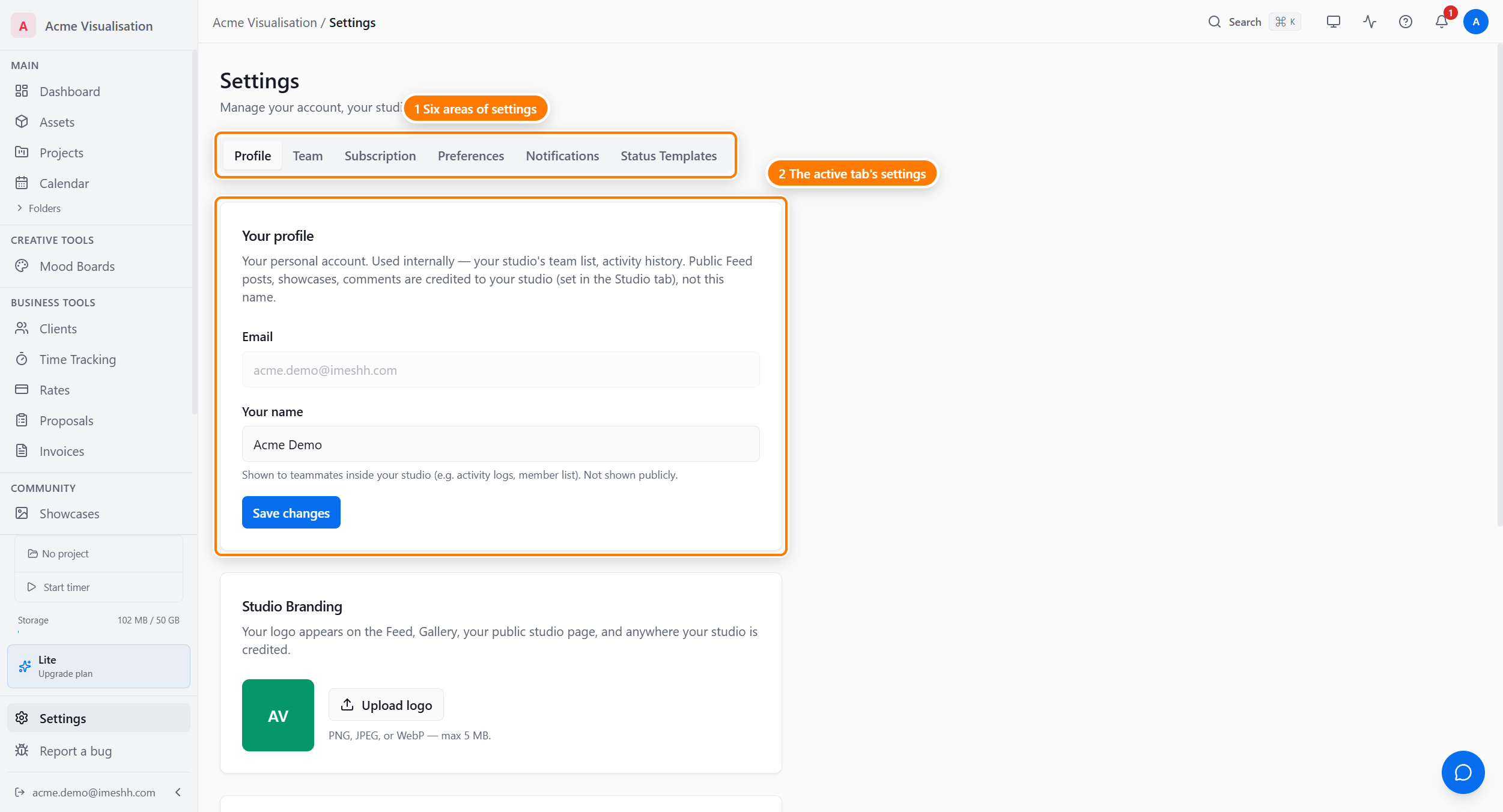
The six tabs
Every tab is visible to every member of your studio. There is no role gate that hides a tab from you.
| Tab | What you do here |
|---|---|
| Profile | Edit your name, change your password, upload your studio logo (owners), leave a studio, or delete your account. See Your profile and account. |
| Team | Invite members on a paid seat, set their role, limit which sections they can open, and remove them. See Team members and seats. |
| Subscription | See your current plan, what you're using, your payment card and invoices, and switch plan. See Subscription and billing. |
| Preferences | Set your theme, timezone, and date language; subscribe to your task calendar; turn on a studio workflow; and export your data. See Preferences. |
| Notifications | Choose which events notify you in-app and by email, and add a backup notification email. See Notifications. |
| Status Templates | Build reusable task status sets that new projects start from. See Status templates. |
Settings always shows your own studio
If you've been invited into someone else's studio, the sidebar lets you switch into their studio to work. Settings does not follow that switch — it always shows your own studio, the one you signed up with and own.
This is why you always see all six tabs. You're the owner of your own studio, so you can always manage your own team, plan, and templates — whichever studio the switcher has active.
What Settings does not cover
A few things sound like they'd live here but don't:
- Per-project members and roles — add people to a specific project from that project's People tab, not the Team tab. See Members & roles.
- Client access — clients are external and managed per project, not in Settings.
- Per-project currency — set the currency on each project, not studio-wide.
- The invoices you raise against your clients — those live in the Invoices module. The Subscription tab only shows what iMeshh charges you.
What's next
- Your profile and account — name, password, studio logo, leaving, deleting
- Team members and seats — invites, paid seats, roles, module access
- Subscription and billing — plans, usage, payment, invoices
- Preferences — theme, date and time, calendar, exports
- Notifications — the notification grid and backup email
- Status templates — reusable task statuses for new projects