projects
Projects overview
A one-page tour of the Projects section — the hub where studio work for a client lives, from deliverables to client sharing.
Updated 23 June 2026
A Project is iMeshh Pro's container for a single piece of studio work — usually one job for one client. It holds the deliverables you're producing, the tasks behind those deliverables, the conversations with your team and the client, the time you've tracked, and the money side (base value and change orders).
Most things you do in iMeshh Pro happen inside a project.
The six tabs
Every project has the same six top-level tabs:
| Tab | What lives here |
|---|---|
| Deliverables | The outputs you're producing — stills, animations, 360 tours, videos. Each one has versions, comments, and an approval state. |
| Tasks | The work behind those deliverables. Board, list, or calendar layout. Statuses are customisable per project. |
| Resources | Project files, a project wiki, and mood boards. Anything that informs the work but isn't a deliverable. |
| Discussion | Three threads — team chat (studio-only), client discussion (client-visible), and an activity log of who did what when. |
| People | Project members (your team) on one sub-tab, clients (with access via the portal or share links) on the other. |
| Business | Two sub-tabs — tracked time, and project finance (base value and change orders). |
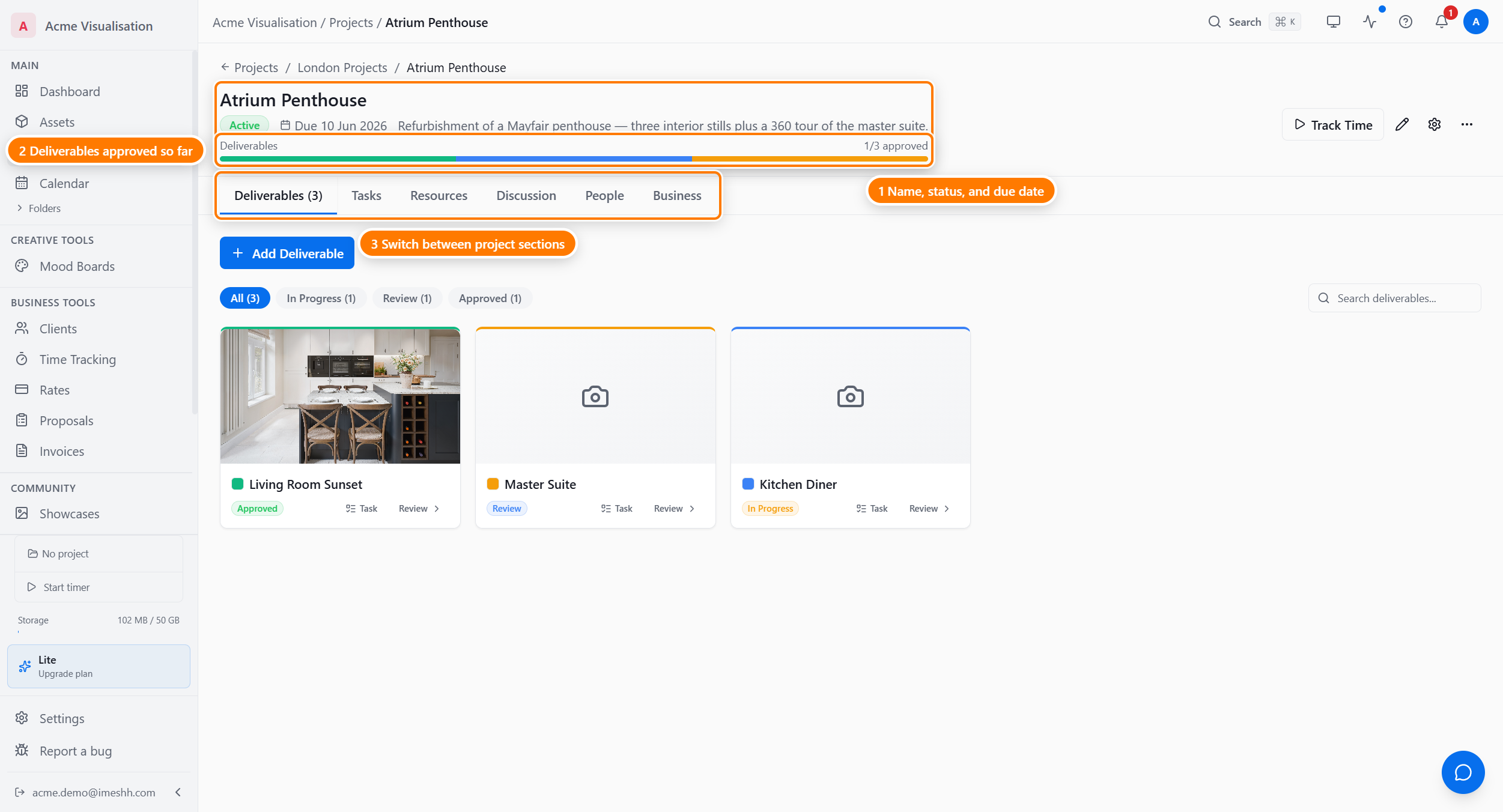
When you open a project, it lands on the Tasks tab. You can restrict which tabs each member sees — hide the Business tab from a contributor, for example. See Members and roles for how to set that up.
A typical project's life
A project usually moves through three phases:
- Set up — create the project, link the client, set a deadline and base value, invite team members, then create the deliverables (Exterior Hero, Kitchen Interior, Walkthrough Animation).
- Production — your team works through the tasks behind each deliverable. As versions get uploaded, the deliverable moves from In Progress to Ready for Review to Approved, or back to Revisions.
- Delivery — share final files with the client through a share link or the client portal, log the last of your time, record any change orders on the Business tab, then keep the project or archive it.
What Projects is not
To avoid confusion with similar-sounding parts of iMeshh Pro:
- It's not where you find iMeshh stock assets. Those live in the Asset Library. Projects is where you put your studio's own Project files under Resources, and the deliverables you're producing under Deliverables.
- It's not where your gallery showcases live. Those live in the Showcases section. A project produces deliverables, which you can re-use in a public showcase later.
- It's not where your clients live. Clients exist on their own in the Clients section — a project links to a client. One client can have many projects.
Plan limits
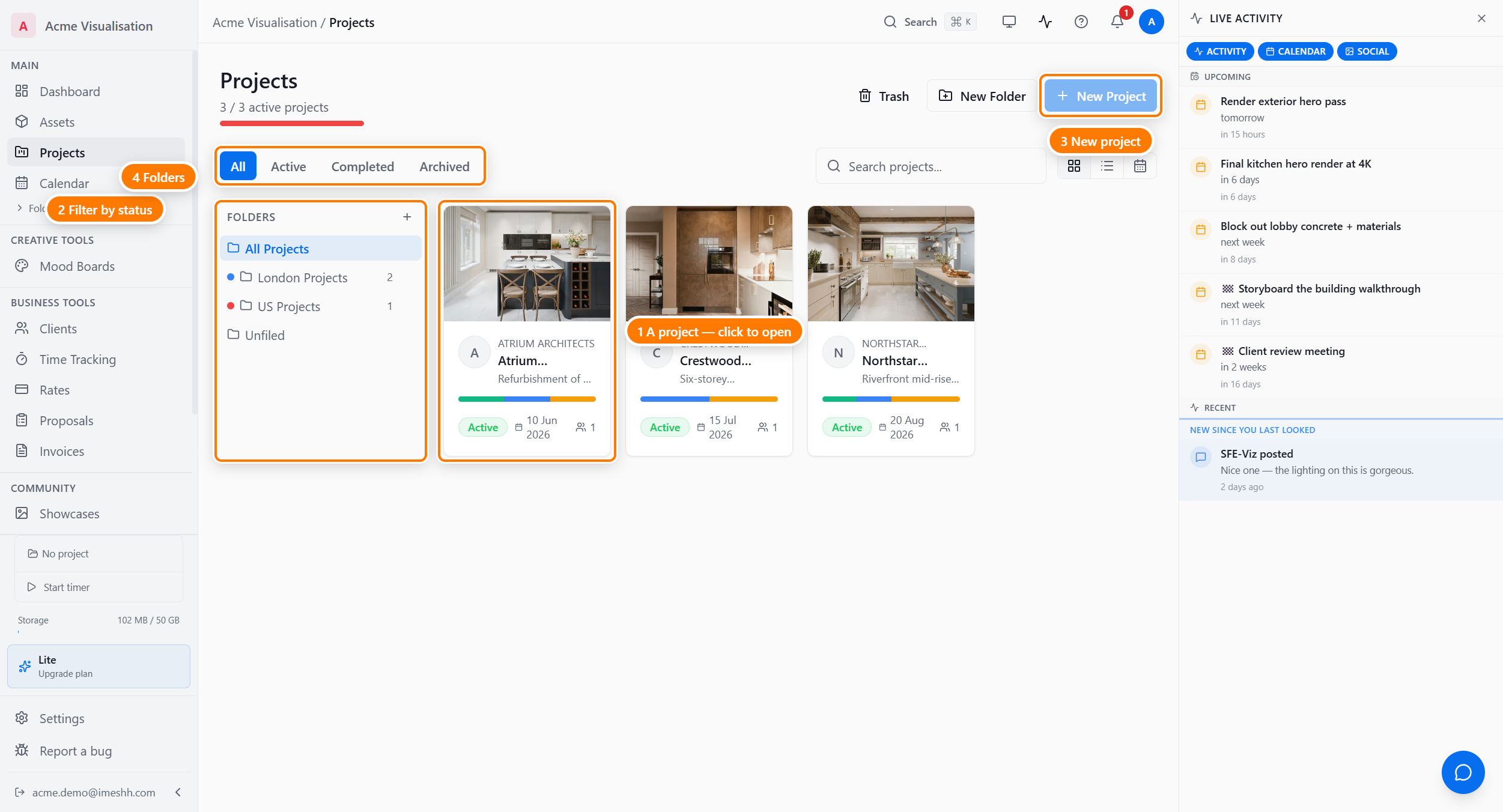
Most of Projects is unlimited on every paid plan — deliverables, tasks, custom fields, share links, time entries, and change orders all have no caps.
The one limit is the number of active projects you can have at any one time:
| Plan | Active projects |
|---|---|
| Free | 2 |
| Lite | 3 |
| Studio Pro | Unlimited |
| Enterprise | Unlimited |
Completed and archived projects don't count toward the cap. If you hit the limit, archive an old project to free a slot.
What's next
- List view and folders — the Projects index, view modes, filters, search, folders
- Creating a project — the New Project flow end to end
- Inside a project — the header and the six tabs
- Members and roles — Lead, Contributor, Viewer, and per-member tab restrictions