projects
Task views
Three ways to look at the same tasks — List, Board, and Calendar — plus saved views and the Timeline that's on the way.
Updated 23 June 2026
The same set of tasks can be laid out three ways. Use the view toggle at the top of the Tasks tab to switch — your choice sticks per project, per device.
List view
The default. A sortable, denser table, one row per task. Best for:
- Editing several tasks at once — status, priority, due date all edit in place
- Sorting by any column to find what's overdue or unassigned
- Bulk actions across many tasks
The fields each row carries are covered in Tasks.
Board view
A Kanban layout with one column per task status.
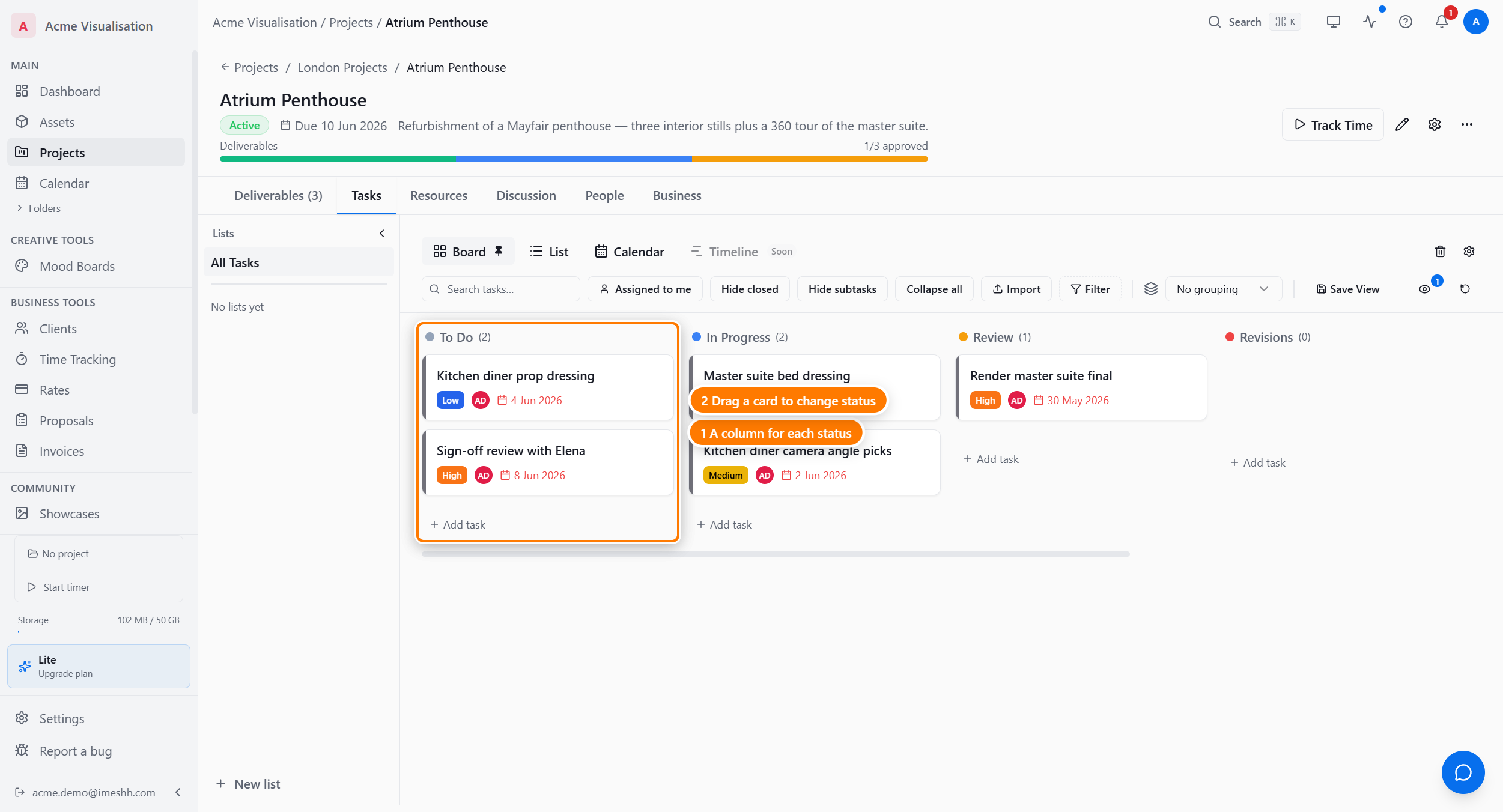
Each card shows the task name, priority badge, assignee initials, and due date. Drag a card to a different column to change its status. The columns come from your project's status list — to add, rename, or recolour them, open Settings on the project header. See Statuses.
Use Board when:
- You're running a sprint and want to see what's blocking, what's queued, and what's done at a glance
- You move tasks between statuses often — the drag is one action versus a dropdown
Calendar view
Plot tasks by their due date. The default is Week.
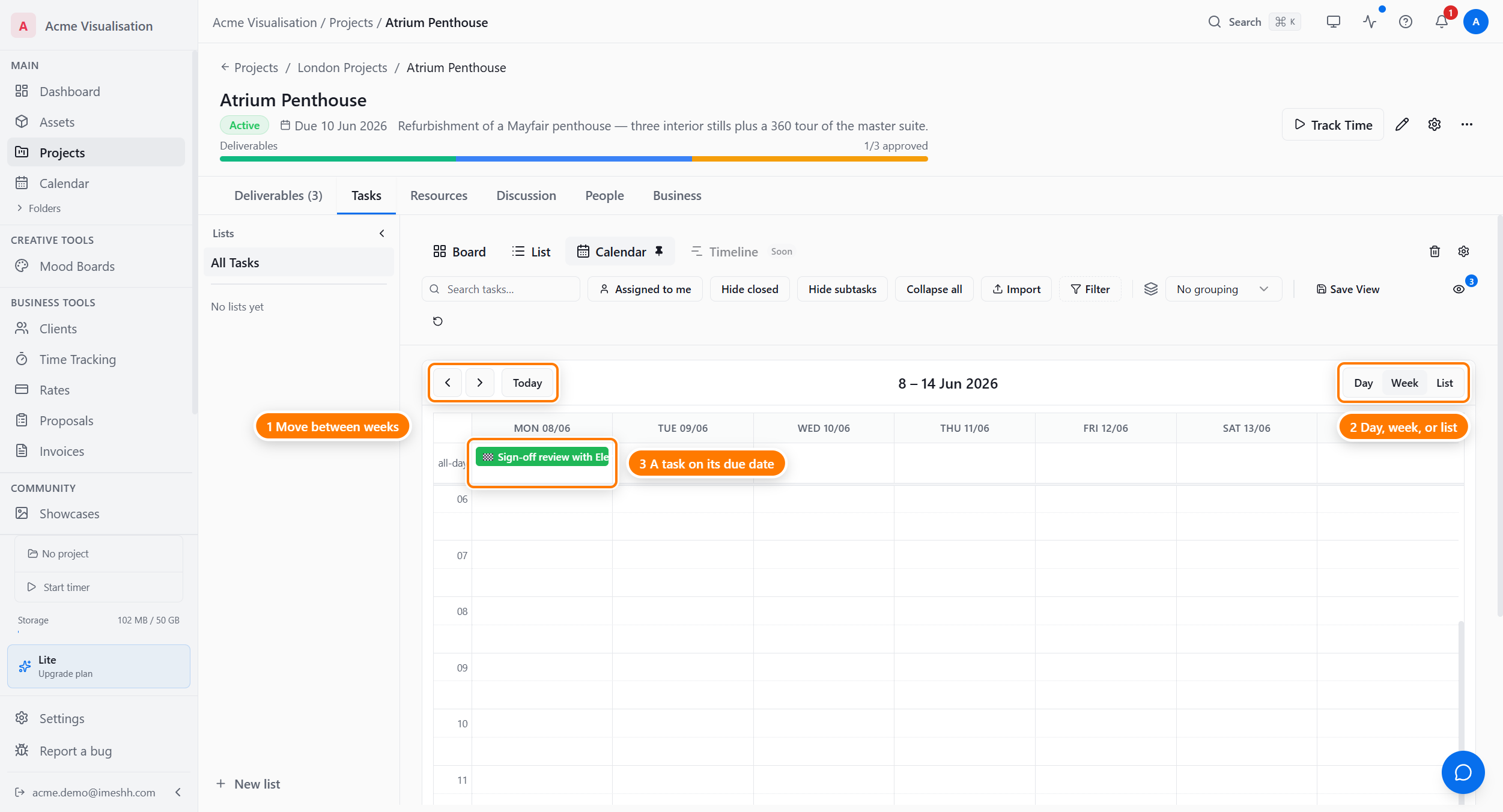
Three granularities:
- Day — a single column, with hourly slots if any task has a due time
- Week — seven columns, one per day (shown above)
- List — a flat agenda grouped by date
Step through dates with the arrows; Today snaps back to the current week.
Timeline view (coming soon)
A Gantt-style timeline that shows task duration, dependencies, and milestones along a horizontal time axis. The button is in the toolbar with a Soon badge and is not yet usable — iMeshh Pro will turn it on once the layout work is finished.
Saving a view
Filter any view (by status, assignee, priority, custom field, date range) and customise its columns, then click Save View at the top right of the toolbar to keep it as a named view. Set one as the default for the list.
What's next
- Tasks — the fields every task carries, plus lists, custom fields, and bulk edits
- Time and finance — the money side of the project